
PostPony ecommerce platform now is released.
Sellers of Amazon, eBay and Shopify can connect their online stores with PostPony ecommerce platform to import orders, create shipments and print shipping labels. PostPony ecommerce platform is totally free. Also you can enjoy USPS postage discount.
Check the Shopify integration tutorial below:
First, create Shopify Private APP
1. Log in your shopify account, Choose the Apps on the left.
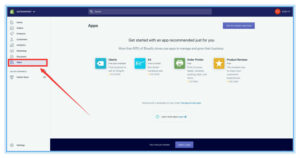
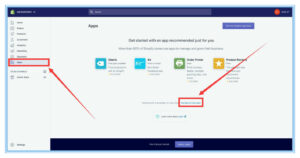
2. On the right, choose “Manage Private apps”
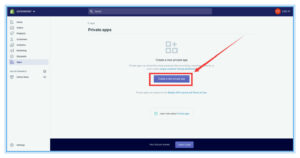
3. In the page of Private apps, click “Create a new Private app”
4. In the page of “Create a new private app”, enter the information as required, and in the field of Admin API, change privileges of “Orders,transaction and fulfillments” and “Products,variants and collections” to “Read and write”, click Save.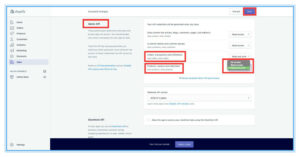
5. In the created app, copy API key and password to your PostPony ecommerce platform. When you connect your shopify store, you will see where they are needed.
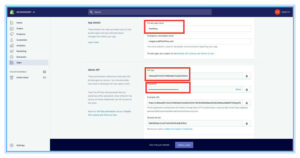
Second, authorize and connect your shopify store.
- Log in your PostPony ecommerce platform. If you have not registered an account yet, please register here.
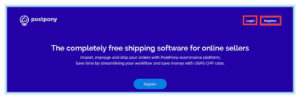
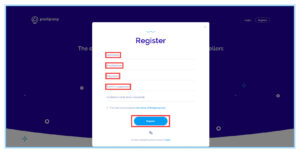
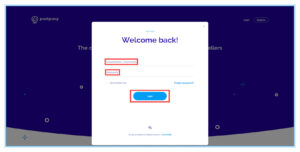
2. Click settings.

3. Click Add new

4. Click shopify.
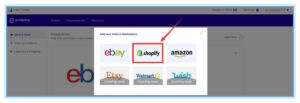
5. Enter the necessary information, and then click Connect.
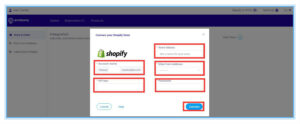
After steps above, you have finished the shopify integration. Orders will be automatically imported. You can create shipments and print shipping labels. If you have any questions, please contact me at email: will@postpony.com or find the livechat butt on https://www.postpony.com/

Hey,
I was wondering if you are interested in an AI tool that writes any content for you in seconds (emails, social media posts, product descriptions etc.), so you save a lot of time, costs and frustration.
All you have to do is type in some keywords of what you want to create and the AI tool creates high quality content for you.
Over 100 000+ online shops are using the AI bot already.
Check out this 60 second video to learn more about it: http://www.newcopybot.com
Regards,
Mike
Co-Founder of AI Hustle
Ps.: After you watch the short video you can get a 7-day free trial of the AI bot and write over 40k words for free.
I’m sure we’ve all heard the old saying, “Do what you love, and it’ll never feel like work.”
It’s not just a catchy phrase—it’s true! But sometimes, even when we do what we love, it can seem impossible to make money doing it.
For example: I have an online shop.
And I absolutely love it!
But because I am not a big company it can sometimes feel like there’s no way to make more profit and scale.
But then something happened… something amazing! A new ai tool came out that changed everything for me.
Now I can make as much money from our shop as any other big company, without having to compromise my time.
Check out this 60 second video to find more about this new ai tool: http://www.newcopybot.com
Regards,
David
Hey,
Over 100 000+ businesses have on average made $10 000 extra revenue per month with this new ai tool.
Click here to get the free 7 day trial: http://www.newcopybot.com
Thank me later
Best,
Michael
If you do not wish to get any more emails from us, please send us an email at info@ai-hustle and add your website URL in the email
Hey,
try out our new ai tool and get $500 free google ads credits!
With our ai tool you can generate conversion focused ad creatives and social media post creatives in a matter of seconds.
Get better results instantly while saving time.
Simply tell our ai your target audience, the platform you are creating the ads on and it will select the best tone and length for the platform while focusing on your target audience’s pain points.
And it also creates texts & headlines for you.
Try it 100% free for 7 days. Cancel Anytime
Claim our offer here -> https://free-trial.adcreative.ai/free-credit-xmas
All the best,
James
Ps.: If you want to try out the paid version make sure to use the coupon “FIRSTYEAR25” to get 25% off your first year 🙂